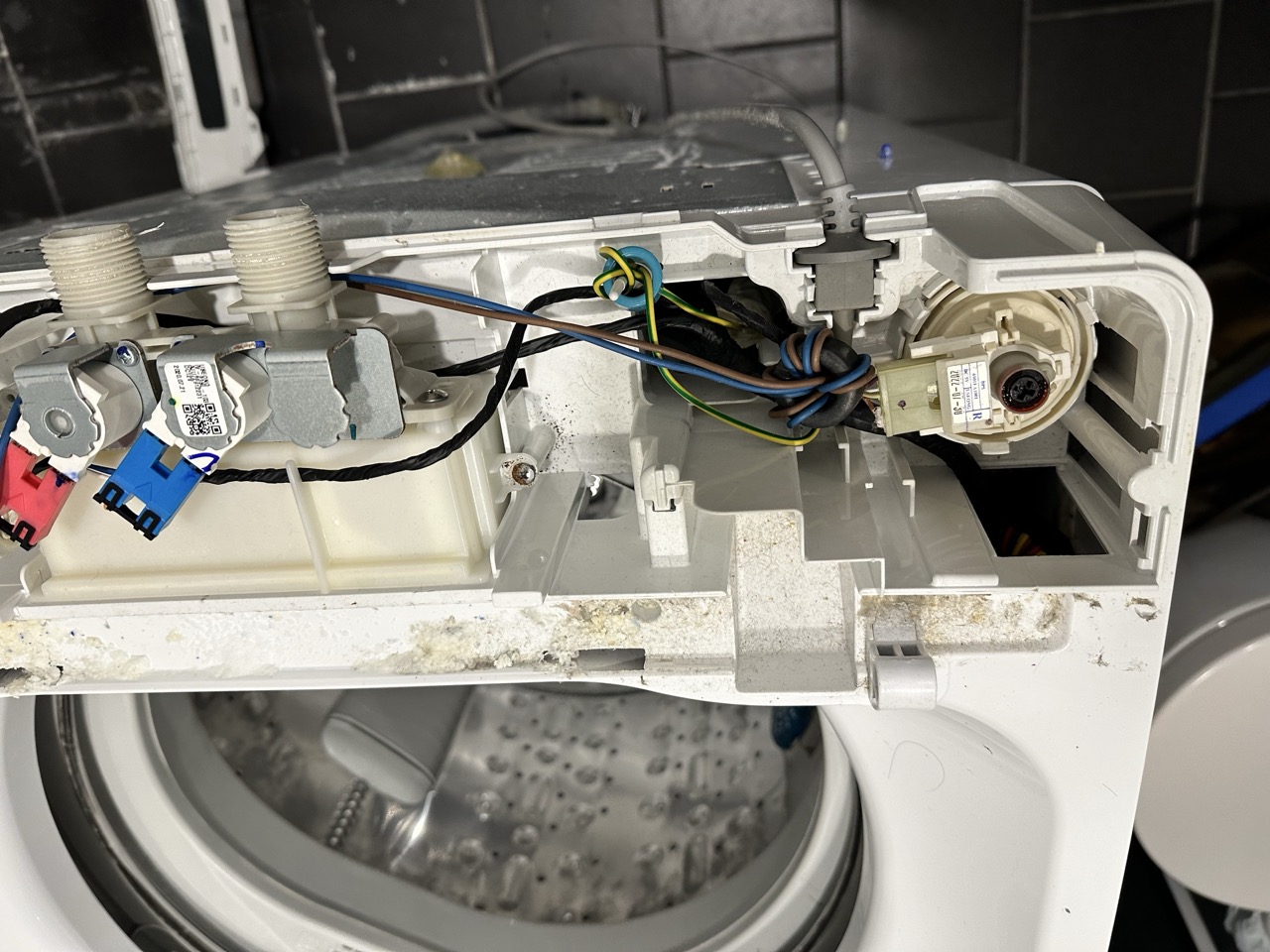
Setting up a Tailscale VPN and GL.iNet Beryl AX (GL-M3000) Travel Router
Here is a way to make your home server accessible from anywhere.
Tailscale is a very easy to configure VPN that allows arbitrary machines on the internet to form a secure network using Wireguard. It literally takes a minute to install on each node by following the instructions. Linux, Windows, MacOS and iOS are all supported.
I have a GL.inet Beryl AX (GL-MT3000) router that I use as a repeater and ethernet to wifi converter when I travel. I wanted to have it configured so from anywhere in the world, I can connect to a single server at home via the gl-mt3000. Unfortunately, the GL.iNet Tailscale instructions don’t describe my use-case of creating a VPN between
- A single home server machine, trout, and
- The gl-mt3000 router to which I can connect any other machines and access trout.
This can be done as follows:
- On trout
- Install and bind Tailscale.
- On gl-mt3000
- Install and bind Tailscale.
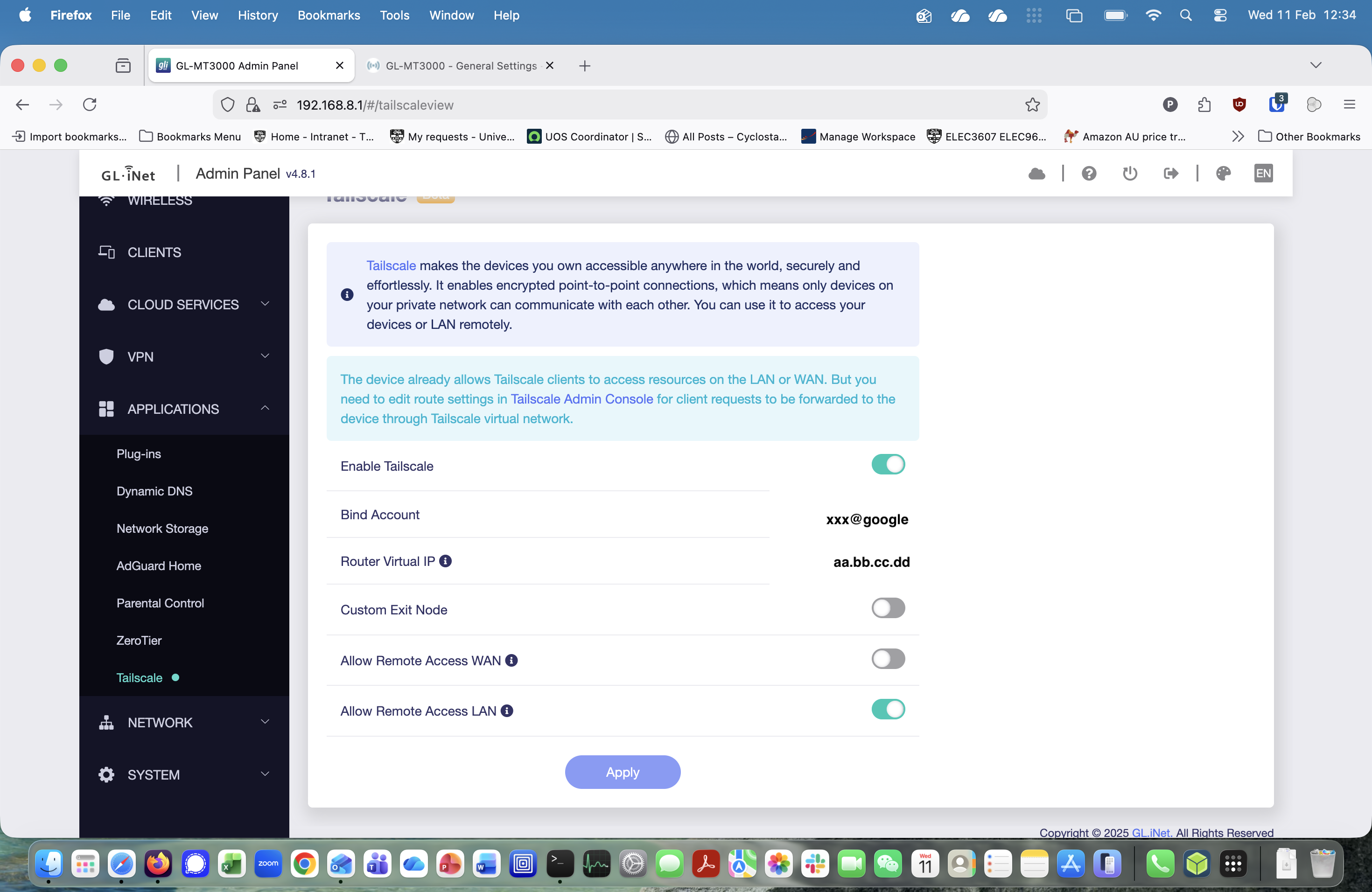
- Using the web interface (192.168.8.1), change Applications -> Tailscale to the below
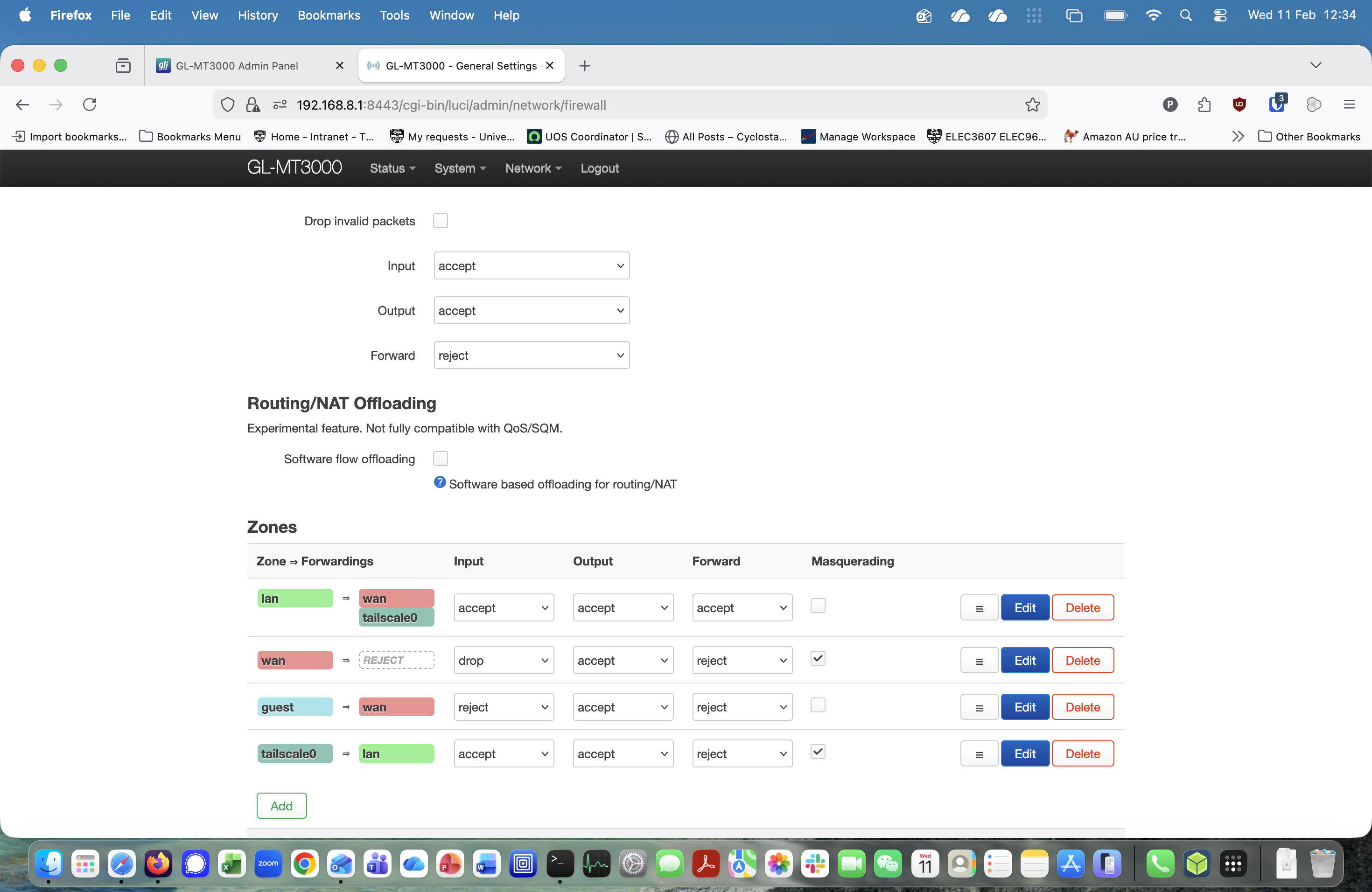
- Select System -> Advanced Settings and enter Luci. Select Network -> Firewall and set to the below (check Tailscale -> lan Masquerading). This means that multiple devices connected to the gl-mt3000 can access the tailscale network via its shared IP address.
Check that the machines are connected on the Tailscale Admin Machines panel. This shows that the gl-mt3000 (top), my iPhone and trout (bottom) are connected to the Tailscale VPN.
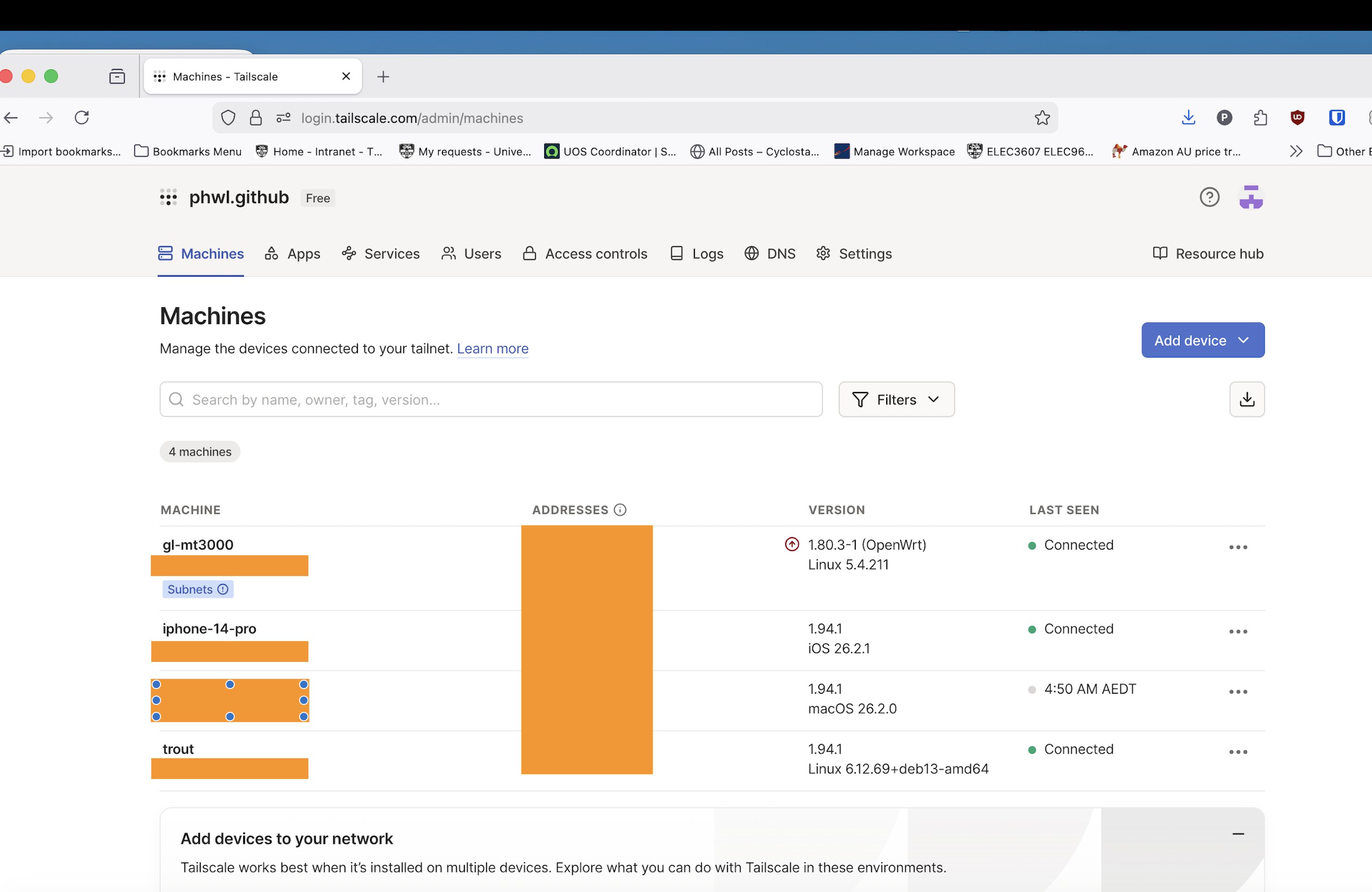
The blanked out IP addresses are those of the different machines so you should be able to ssh to trout from any machine connected to the Beryl travel router. While this setup is extremely convenient, please be aware that anyone able to connnect to the router will be able to access your machines!